################## In server.R:
output$downloadData <- downloadHandler(
  filename = function() {
    paste('data-', Sys.Date(), '.csv', sep='')
  },
  content = function(con) {
    write.csv(data, con)
  }
)

################### In ui.R:
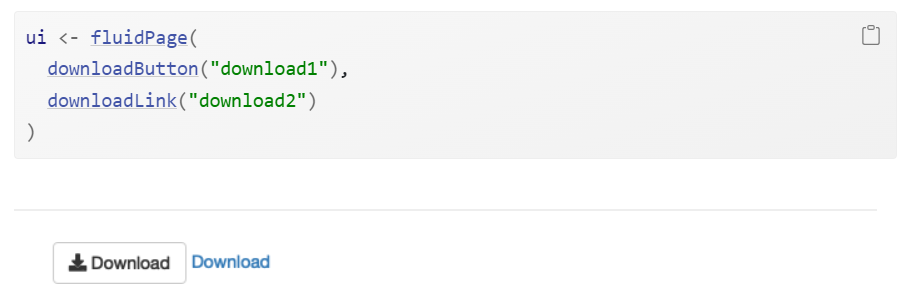
downloadLink('downloadData', 'Download')making a shinyapp
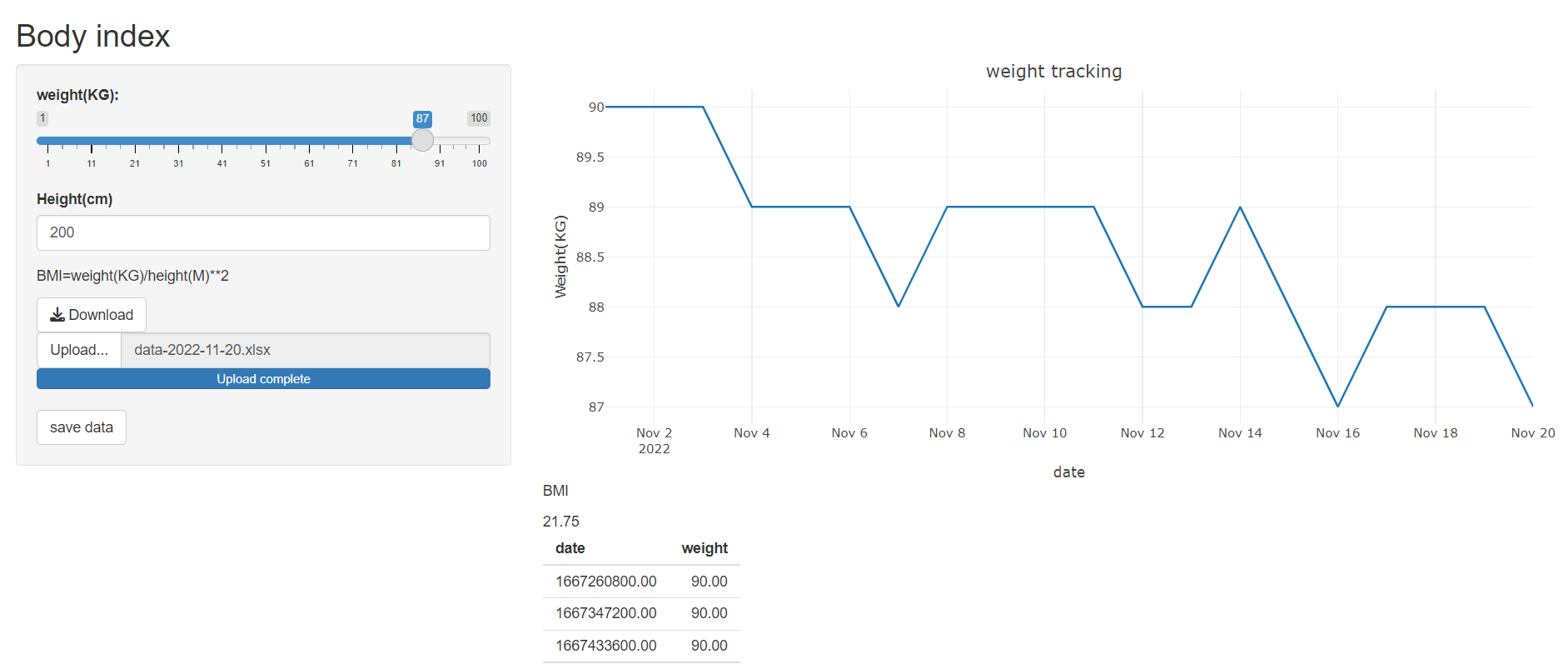
Shinyapp example:weight tracking
download bottom
download csv:
download excel:
library(writexl)
library(readxl)

################## In server.R:
output$downloadData <- downloadHandler(
  filename = function() {
    paste('data-', Sys.Date(), '.xlsx', sep='')
  },
  content = function(con) {
    write_xlsx(data, con)
  }
)

################### In ui.R:
downloadButton('downloadData', 'Download')
upload bottom
ui <- fluidPage(
  fileInput("upload", NULL, buttonLabel = "Upload...", multiple = TRUE)
  ,tableOutput("files_info")
  ,tableOutput("files")
)


server <- function(input, output, session) {

  output$files_info <- renderTable(input$upload)

  output$files <- renderTable(df <- read_excel(input$upload$datapath))

}
action bottom
  ################ action event

ui <- fluidPage(
  actionButton("go", "save data")
)


server <- function(input, output) {
  observeEvent(input$go, {
    data=read_excel(input$upload$datapath)
    write_xlsx(data,"Persion weight.xlsx")

  })
Host shinyapp in shiny.io
- Go to https://www.shinyapps.io/ and setup a shinyapps account.And go to account page and copy Token and Secret
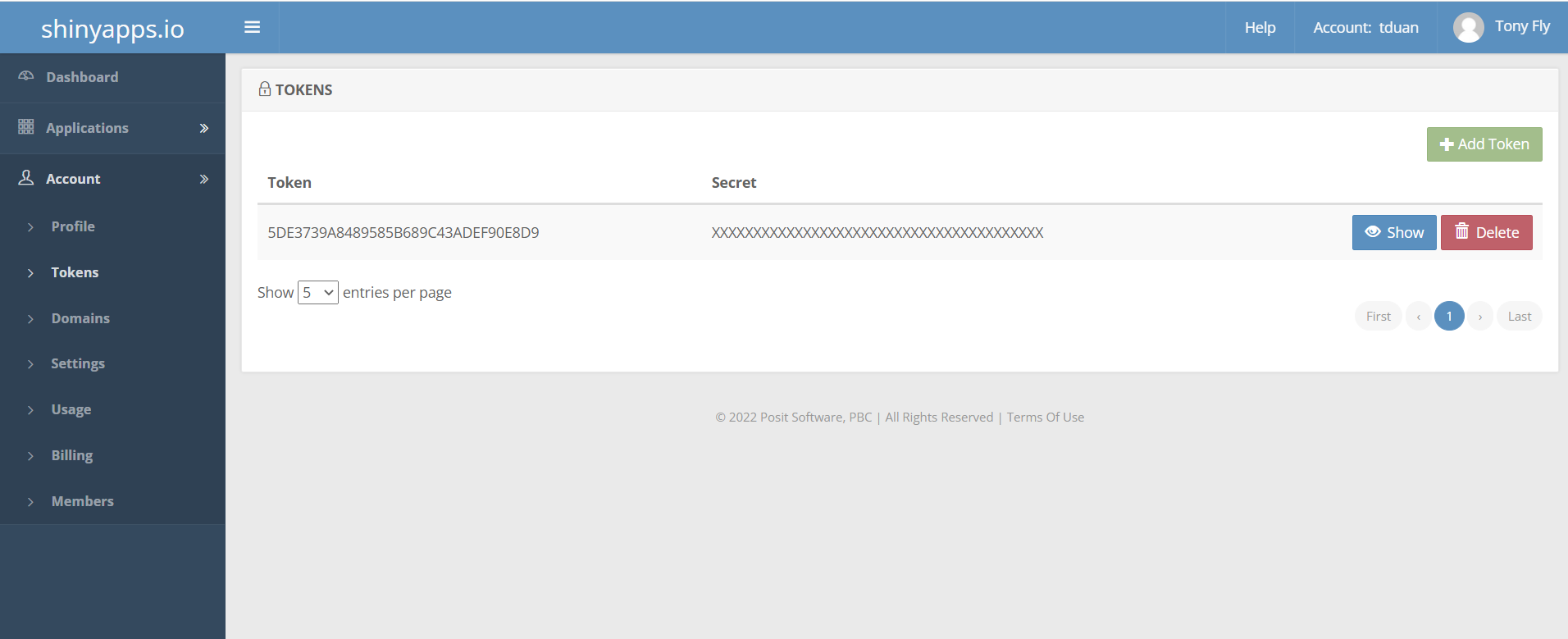
- in Rstudio setup the www.shinyapps.io account
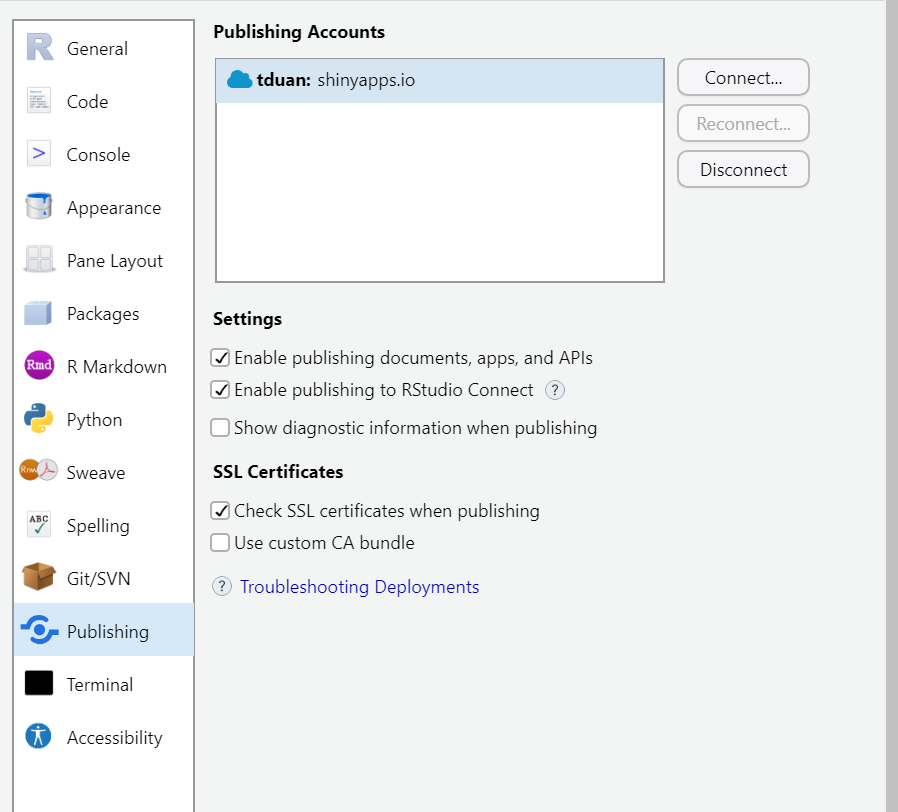
- under your shiny current working directory and upload the shinyapp to shiny.io
getwd()
library(rsconnect)
deployApp()
Appendix
https://shiny.rstudio.com/
https://mastering-shiny.org/
https://docs.posit.co/shinyapps.io/getting-started.html